

Retail Store Management Software: What It Should Do Beyond Ringing Up Sales
Most store owners did not set out to run five different tools. It happened slowly. One system for sales, another spreadsheet for stock, a separate app for schedules, and a notebook by the register for whatever none of those cover. None of it was really a choice. It just built up over time, until checking your own numbers means logging into four places before breakfast.
That is the problem real retail store management software is supposed to solve, and it is worth asking honestly whether the one you are using does it.
What Most Stores Are Actually Running On
Walk into the back office of a typical liquor store or neighborhood market and you will usually find a patchwork. The register handles transactions. A spreadsheet holds the stock count, updated whenever someone remembers to. A separate app or a paper log track who worked which shift. None of this talk to each other, so nothing lines up cleanly until someone forces it to at the end of the month.
Each piece works fine on its own. The trouble shows up when you need the full picture at once. A busy Saturday moves more product than expected, but the reorder alert lives in a different app than the one that just rang up the sale. Nobody notices until the shelf has already been empty for two days. Multiply that by every small gap between tools and you get a store that runs, but only by working around itself.
What This Kind of Software Should Actually Do

Ringing up a sale correctly is table stakes. A platform that calls itself management software needs to give you a view of the whole store, and it needs to do that without you stitching the pieces together yourself.
Keep Numbers Connected, Not Just Stored

When a product sells, the stock count should drop on its own. When a shift ends, the hours worked should already sit in your payroll numbers. You should not have to copy a figure from one screen into another just to know where the store stands right now.
Cover the People Running It
A store runs on staff as much as on shelves. Scheduling, hours, and performance deserve the same attention inventory gets, tracked as part of the same system rather than off to the side in a separate tool nobody checks as often.
Reporting matters here too, and not in the sense of generating more documents. A useful report answers a question you actually have, in a format you can read in under a minute, not one that needs exporting to a spreadsheet before it means anything.
Where Most Platforms Fall Short

Plenty of software claims to manage a whole store. Fewer hold up once you are three months in and the sales pitch has worn off. A lot of platforms grew by adding modules over time, an inventory add on here, a loyalty plug in there. Each piece technically works, but they were never designed together, so the data between them does not always line up cleanly. You end up back where you started, checking two places to trust one number. We broke down exactly what this gap looks like in practice in our piece on A2Z POS vs generic POS systems, if you want a closer look at how a purpose built platform differs from one stitched together after the fact.
Inside A2Z
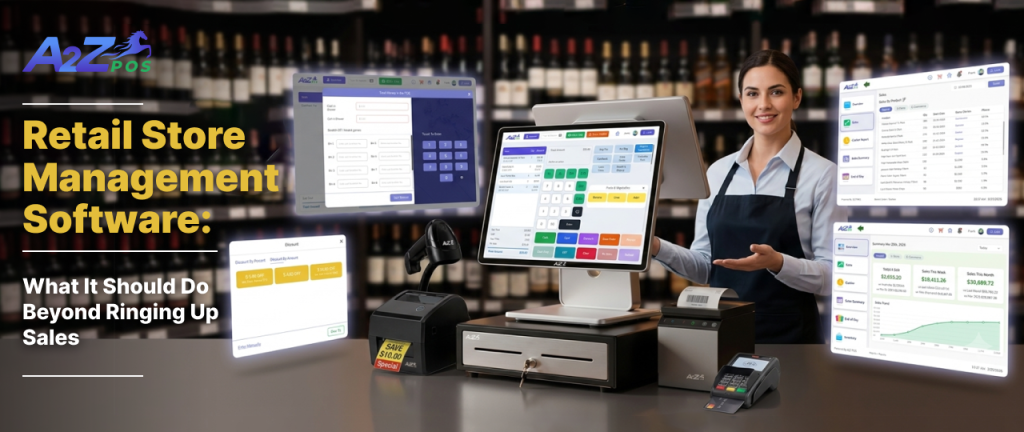
A2Z was built as pos management software from the ground up, not assembled from separate products later. Sales, inventory, staff scheduling, and reporting sit inside the same platform, so a number you see in one place matches what you see everywhere else. One login covers the whole store. A sale updates the stock count immediately. A completed shift shows up in payroll without anyone touching a second system.
Generic pos for business tools are usually built for retail in general, which means they miss details that matter specifically to a liquor store or a corner market: age verification at checkout, case and single tracking, and compliance rules that a broad platform was never designed around. A2Z starts from those specifics rather than adding them on afterward.
Questions to Ask Before You Switch Platforms
Before moving to new store management software, it helps to check a few things first.
- Does it connect sales, stock, and staff, or just report on them separately? Seeing three numbers side by side is not the same as keeping them in sync.
- Can you see everything from one login? If a second tab for scheduling or inventory is still open, the original problem has not gone away.
- Do the reports make sense on their own? A dashboard you can read at a glance beats a file you have to export and rebuild.
- Does it match how your store actually sells? Cases, singles, age restricted items, and online orders all need to be handled correctly, not bolted on later.
- What happens when something breaks? Ask about support before you need it, not after.
Where This Leaves You
Open your software on a random Tuesday and see how long it takes to know exactly where your store stands, what sold, what is low, who worked, and what needs attention today. If that takes more than one screen, there is still work for the software to do.
If your current setup has you piecing that picture together from separate tools, it might be worth looking at something built to hold all of it at once. Get a Free Demo and see how A2Z brings sales, inventory, staff, and reporting into one place.